Dashboard
Your morning briefing — everything you need at a glance.
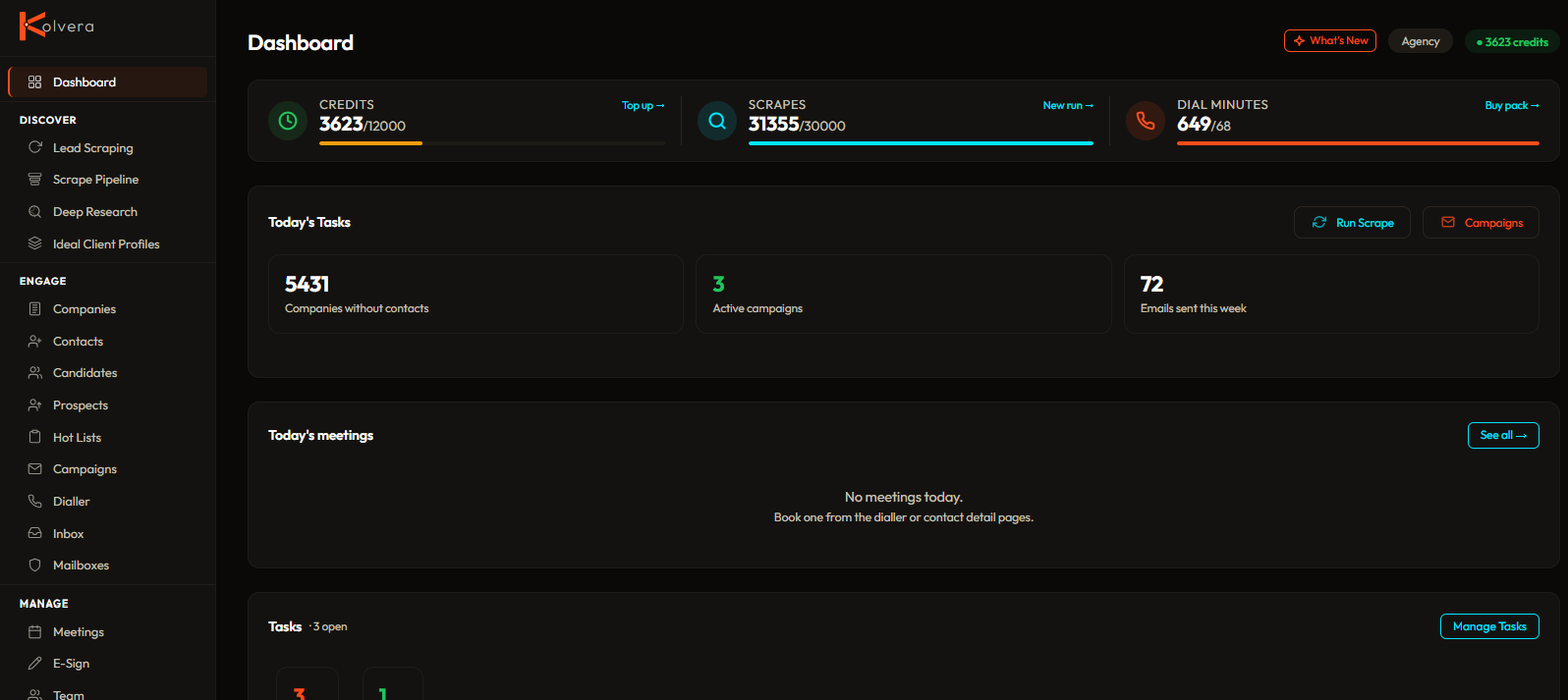
Today's meetings — upcoming meetings for the day with status pills and Join buttons. Shows contact name and company. When a meeting is booked with a candidate, a card can offer to prepare screening prep for the call.
Command Station — hero stat cards (credits, ICP coverage, campaign performance, meetings, action required), an ICP coverage table showing companies, prospects, and pipeline matches per profile, campaign performance bars with reply rates, and a collapsible activity log.
Review Queue — pending actions prepared by automations (e.g. meeting prep, re-engagement) surface here for you to Approve or Dismiss, mirroring the Action Inbox.
Watched companies — companies you've starred for monitoring are highlighted so new hiring signals at those accounts stand out.
Low balance warnings — amber/red banners when credits or scrapes are running low, with direct links to top up.
Setup banner — if your account setup is incomplete, a banner prompts you to finish connecting your email, calendar, and other tools.