Chrome Extension
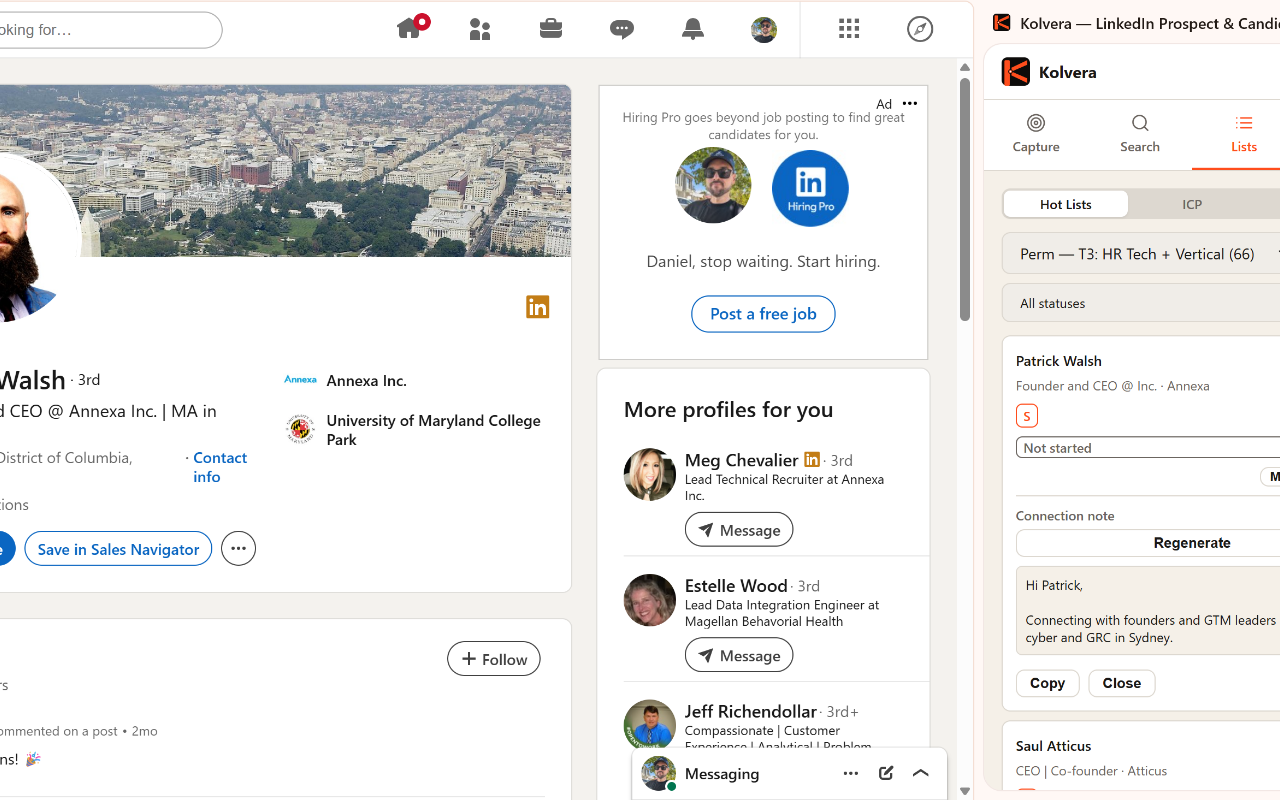
Save LinkedIn profiles as Contacts, Prospects, or Candidates. At save time, map a Prospect to a Desk or a Candidate to a Reverse Market Profile, generate AI outreach, find emails, and sync messages — all from the sidebar.
Setup
- Install the Kolvera — LinkedIn Prospect Finder extension from the Chrome Web Store
- Go to Settings → API Tokens and generate a token
- Open the extension sidebar on LinkedIn and paste your token
Sidebar tabs
Contact: Save as an enrichable contact. Find Email (2 cr) directly from the sidebar. Detects if already saved in Kolvera.
Prospect: Save as a prospect linked to your Desk. Generate AI sales messages (connection request, call ask) with tone selection. Sync LinkedIn messages.
Candidate: Save as a candidate linked to your Reverse Market Profile. Generate AI outreach messages with Refine with AI to tweak angle, tone, or length. Sync messages.
Scraping
Search page: Extracts up to 10 profiles per page with name, title, company, and location
Multi-Page Scrape: Auto-collect across up to 25 search result pages in one action
Auto-dedup: Contacts already in Kolvera are flagged and skipped
AI messaging (no credit cost)
Signal-rich messages: AI pulls from 8 data sources — pipeline jobs, company intel, Desk mapping, email engagement, meeting notes, hot lists, buying triggers, and state match — to write messages grounded in real data
Auto message type: AI detects the right message type from conversation state (connection request → post-accept → follow-up → meeting ask → soft close → nurture)
Signal card: After generation, a signal richness indicator (0–7 data points found) and signal pills show which data sources the AI used
Message types: Connection request, post-accept, follow-up, meeting ask, soft close, nurture
Tone: Consultative, casual, friendly, direct
Refine with AI: Tell it what to change (shorter, more casual, push on a specific angle) and it rewrites
Copy and Regenerate: One-click copy to clipboard, or regenerate for a fresh take
Cost and data
Cost: 1 scrape per profile saved (no credits needed)
Data created: Contact + Job Record with source "LinkedIn Extension"
Tip: Works best on LinkedIn Sales Navigator search results for bulk saves