Company Search
Tap into the shared Kolvera company database — companies enriched across the platform. Anywhere you add or search for a company, the name field autocompletes against the whole database so you can import one in a click and never create a duplicate.
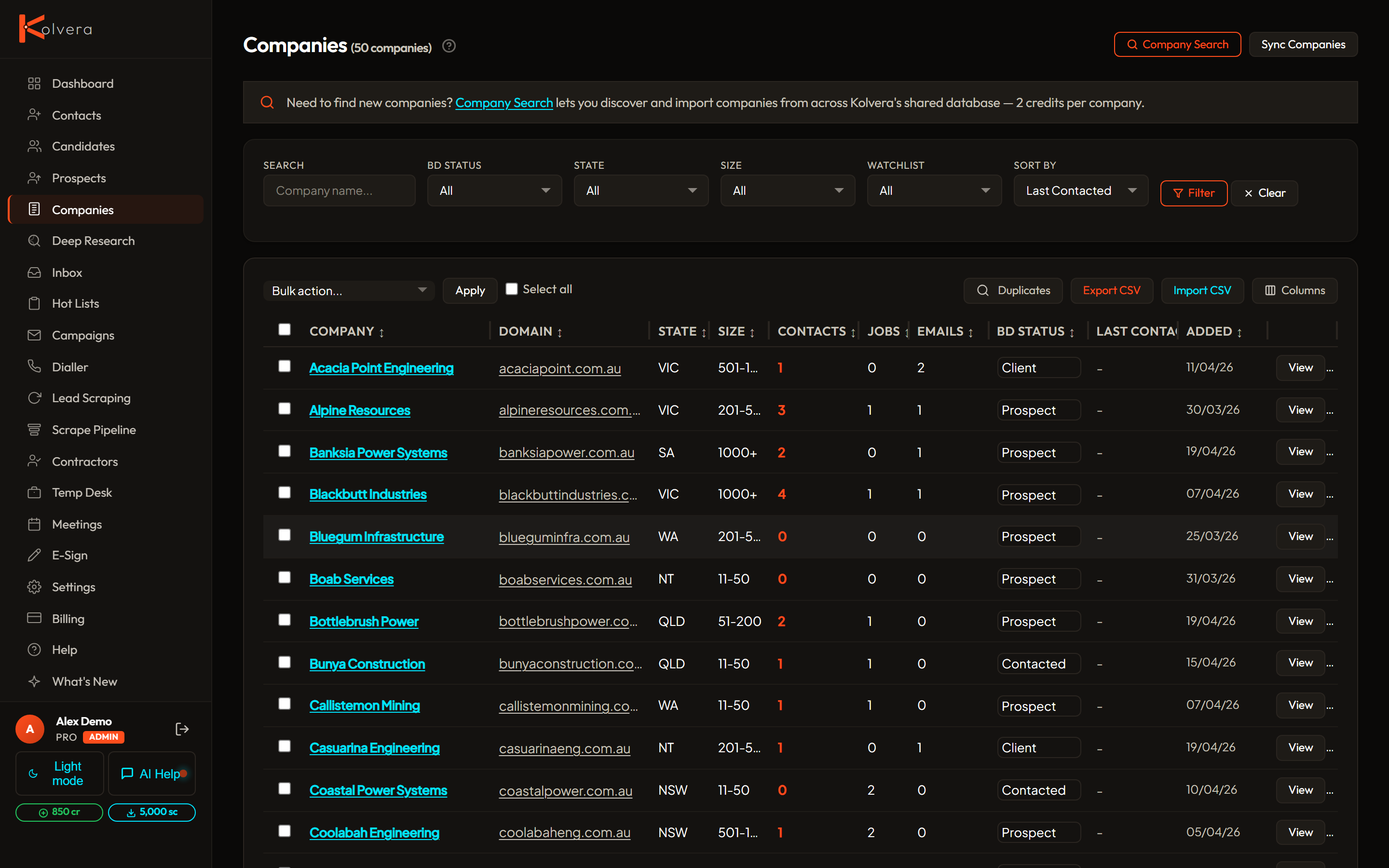
How it works
- Start typing — in any company-name field, the autocomplete searches the shared Kolvera database as you type. Your own workspace ranks first ("In your workspace"), the wider network second ("From Kolvera network").
- Import — pick a match and the company record (name, domain, details) is imported into your workspace for free. Companies you already own are matched automatically — no duplicates.
- Find contacts — open the company and run Find Contacts to enrich it. Each new contact found with a valid email costs 2 cr. A name-only result does not include a verified email.
Smart matching
Type at least two characters of the company name. Suggestions include the domain, industry and location where available, so you can check the match before selecting it.
Own-tenant first — companies already in your workspace are surfaced ahead of the wider network so you reuse what you have
Free shell import — importing copies only the public company record; no credits are spent until you enrich for contacts
Duplicate-safe — importing an existing company just opens it, it never creates a second record or double-charges
Company Detail page
Contacts tab — all enriched contacts linked to this company, with email status and phone
Jobs tab — all job listings scraped from this company
Research — click Research to trigger an AI scan for recent news, funding, team changes, and competitors (2 credits)
Signals — auto-detected events like growth hiring, new offices, leadership changes — each labelled by strength and confidence
BD Status — track your sales progress: New → Contacted → Replied → Meeting Booked → Terms Signed → Placed
Importing a company from the database is free. Finding a new contact with a valid email costs 2 cr; AI company research costs 2 cr. See Credits and Plans for the full table.