Review Queue
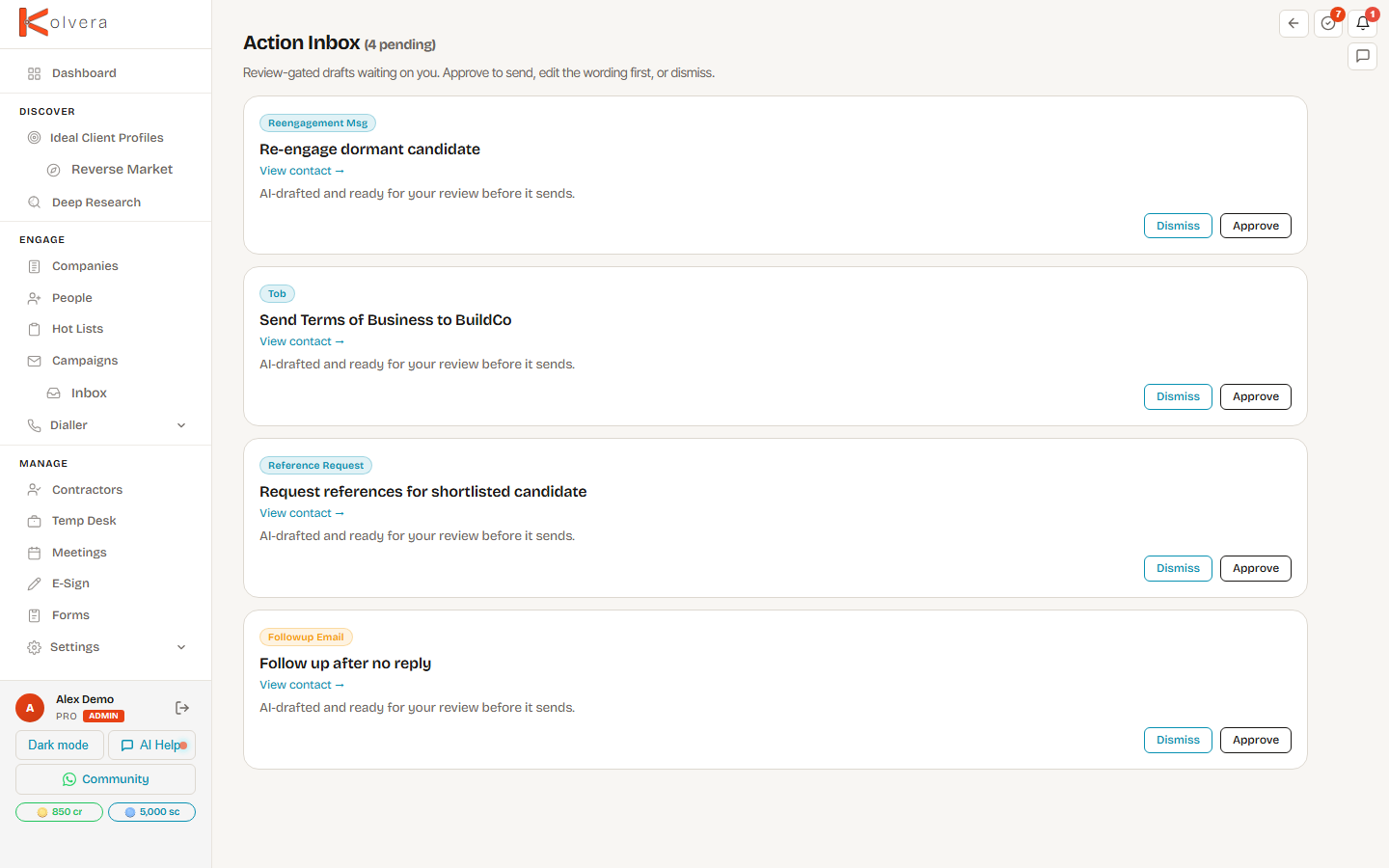
The Action Inbox, reached from the Needs You zone on Today: AI-drafted actions waiting for your approval before they send or execute — nothing goes out without you saying so.
How It Works
Kolvera's automations watch your pipeline and draft the next action for you. Rather than sending automatically, each drafted action lands in the Review Queue as a card. You stay in control — review the preview, then approve or dismiss.
What Appears
Hiring Signals
When a company mapped to one of your Desks posts a new role, Kolvera raises a hiring-signal card. A fresh role is a buying trigger — the company is hiring, which often means budget and a live need. The card lands in your Action Inbox so you can reach out while the signal is hot. Toggle this under Settings → Automations. See Hiring Signals for the full guide.
New Contacts from Replies
When you send outreach and get an out-of-office or auto-reply that points you to someone else (“I've left — please contact Jordan”), Kolvera reads the reply, extracts the named colleague, and drafts them as a new contact card in your Action Inbox. Approve to add them to your records and keep the thread moving; dismiss if it's not useful. Nothing is added without your approval. See New Contacts from Replies for the full guide.
Reviewing a Card
- Each card shows a preview of the drafted action — who it's for and what will be sent or done.
- Approve to send the message or execute the action.
- Dismiss to discard the card if it's not right.
Where Cards Come From
Cards are generated by automations you control, including the re-engagement sweep, the reference nudge, post-call processing, and meeting prep. Toggle each automation on or off under Settings → Automations. With an automation off, it won't draft cards into your queue.