Contact Enrichment
Contact Enrichment finds decision-maker emails and phone numbers, verifies them before sending, and surfaces company numbers already on file at no cost. Run it all from the People page.
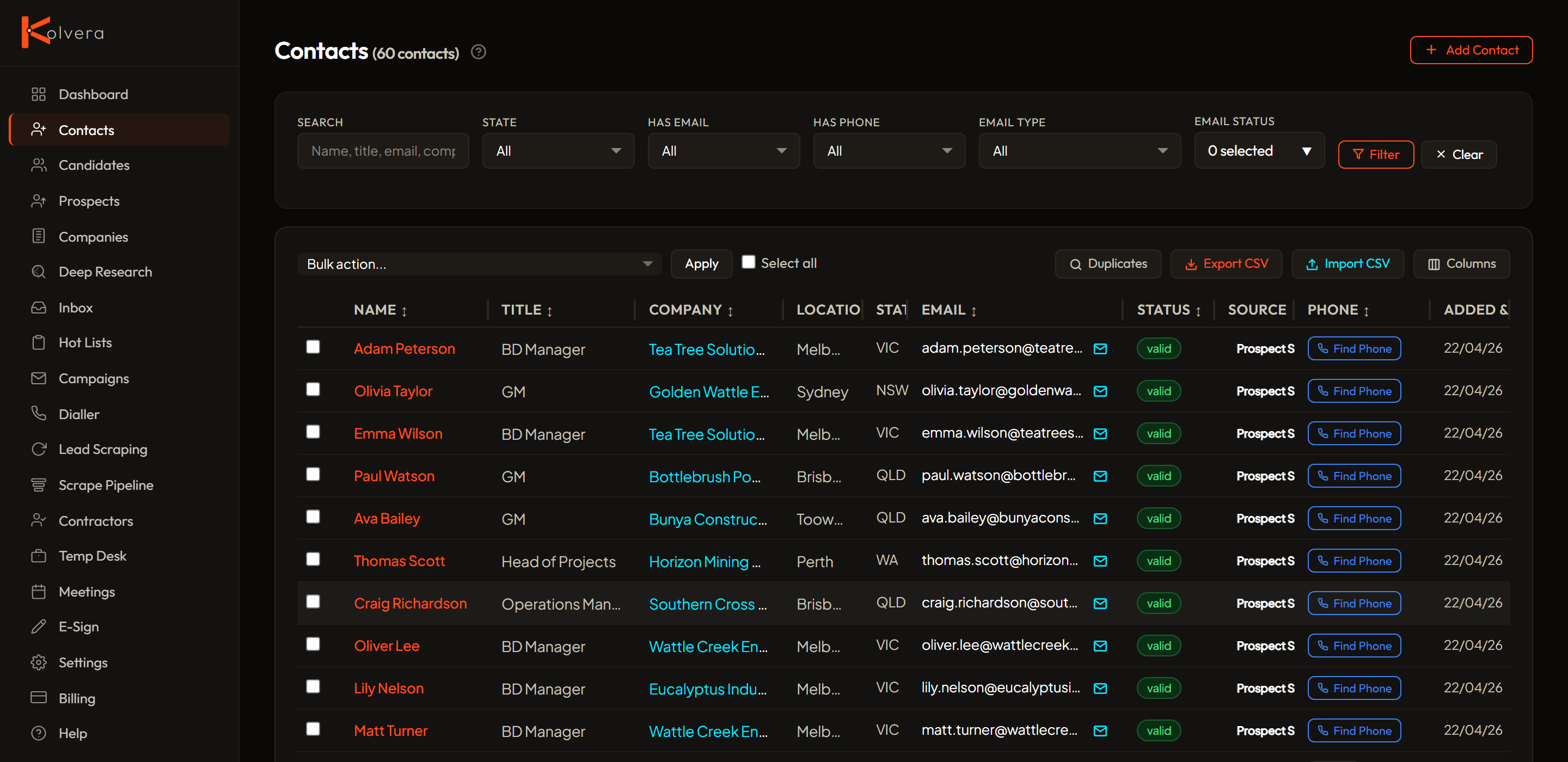
Workflow
The typical flow from a raw lead to an outreach-ready contact:
- Scrape or import leads — run a scrape from Lead Scraping, which creates a job listing and a linked contact for each lead, or import a spreadsheet via People → Import CSV.
- Find emails — go to People, select the people you want, and click Find Email (2 cr per contact found). Multiple sources are checked automatically.
- Verify emails — found emails are auto-verified before you're charged. Status shows as Valid, Catch-all, Unknown, or Invalid.
- Enrol in a campaign — select contacts with valid or catch-all emails and add them to a campaign. Only send to verified contacts.
- Find phones (optional) — for people you want to call, click Find Phone. Numbers already on file cost nothing; fresh lookups are priced per tier (below).
- Call (optional, BYOK) — connect your own phone provider (Pro+) to call anyone with a number on file straight from their People file.
Email Enrichment
Kolvera's enrichment pipeline searches multiple data sources automatically — public records, company registries, professional networks, company websites, and proprietary pattern matching. Country-specific sources are used where available (e.g. AU company registries for Australian tenants).
Every contact found with an email costs 2 credits — regardless of which source found them. If no contacts are found, you're not charged.
Email Verification
Email verification checks every email to protect your sender reputation. Status indicators:
Verification is bundled into enrichment cost. Campaign worker also verifies pre-send as a safety net.
Default Filters
By default, the People and Leads pages hide invalid and unknown emails to keep your lists clean. Invalid emails will bounce and hurt deliverability. Unknown emails couldn't be verified — use your judgement on whether to try them. Adjust filters anytime using the dropdowns above the table.
Phone Enrichment
Phone enrichment runs a waterfall across multiple sources and prices each result by what it returns. You only pay for fresh lookups — numbers already on file are free to use.
Contacts can store two separate phone numbers: a personal direct dial (on the contact record) and the company main line (on the company record, shared across all contacts at that company).
Automatic Number Discovery
Beyond on-demand enrichment, Kolvera runs background jobs that continuously scan for company numbers — no action needed. When a number is found, it is cached on the Company record and shared across every contact at that company, appearing automatically on company and contact pages.
Numbers found this way are cached across the network, so any tenant that holds the same company benefits. A contact at a company with a cached number inherits the company main line automatically, shown alongside any personal direct dial.
These on-file company main lines are 0 cr to use. Discovering a fresh direct dial for a specific contact is the separate paid enrichment step priced above.
The People Page
Contacts, prospects, and candidates all live in one unified People page. Switch role tabs to focus on a subset — filter to view your enriched contacts — while every person opens the same shared detail file at /people/<id> with email history, activity, and campaign enrolments. Filter by provider, email status, source, or state. Manually add people, and run enrichment (find email, find phone, enrol, export) straight from the bulk-action toolbar.
Fix Names
Bulk action that finds and corrects missing or low-quality contact names. Free — no credits charged.
Which contacts are affected?
Fix Names only touches contacts that match one of these patterns:
Contacts with real names are never modified. If a contact already has a proper first and last name that doesn't match these patterns, Fix Names skips it entirely.
How does it find the correct name?
Kolvera uses multiple sources to find the correct name for each contact, prioritising free methods first. Most of the first steps cost nothing — only falling back to paid lookups when needed.
Every name found is validated against strict rules. Invalid or generic results (test, admin, company, etc.) are rejected automatically.
What happens if no name is found?
Campaign emails handle blank names gracefully — "Hi {first_name}," becomes "Hi there," when the name is empty.
Duplicate Management
Detect and merge duplicate contacts to keep your database clean.
Merging transfers all campaign enrolments, email logs, and call history to the primary contact. Secondary contacts are removed.
CSV Import
Upload or paste contacts from a spreadsheet. Auto-detects 40+ column variants (name, email, phone, company, title, etc.). Deduplicates by email. Imported emails get "new" status — use the Verify button to check them before sending. Download the template from the import page.
Email enrichment: 2 cr per contact found. Fresh phone enrichment: 2 cr per phone found; cached company lines cost 1 cr. See Credits and Plans for the full table.