People
One unified list for every person in your workspace — contacts, prospects and candidates — with role-filter tabs, per-row role chips, and a single shared detail file per person.
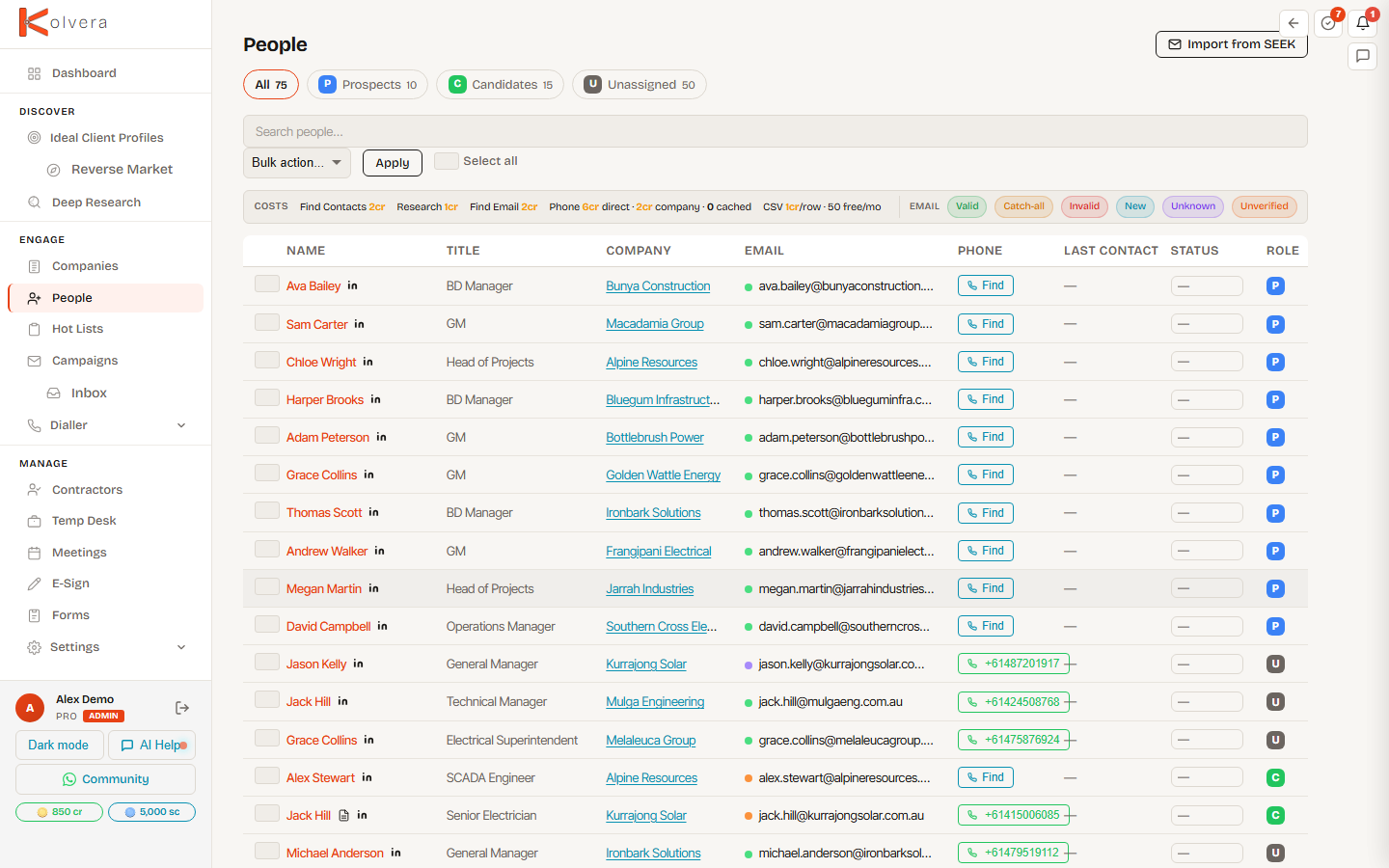
One List, Role Tabs
People merges contacts, prospects and candidates into a single list rather than three separate pages. Tabs at the top filter the same list by role so you never lose track of who's who.
Role Chips
Each row carries small role chips — P for prospect, C for candidate — so you can see at a glance whether a person is a buyer, talent, or both. A single person can hold both roles at once; the chips make that dual status visible without opening the file.
Shared Detail File
Every person has one detail file at /people/<id>, no matter how many roles they hold. The file opens with role-aware tabs so you see only what's relevant.
Because the file is shared, enriching a contact once benefits every role — a phone number found while prospecting is the same number you call as a candidate.
Search
Search across name, title, company, email and phone from the single search bar. One query spans the whole list; the role tab you're on scopes the results. Wrap words in double quotes for an exact phrase — "process operator" matches that phrase in one field, while the unquoted words would match anyone with each word somewhere in their record.
Bulk Actions
Select people and apply an action across the whole selection. Credit-consuming actions confirm the count and cost before charging.
Import
- SEEK — open the SEEK import slide-out to bring inbound applicants into your People list as candidates.
- CSV — upload a CSV to bulk-import people; rows are de-duplicated against existing records.